Security Blue Team VIP CTF #1 – “Switching Teams” Write-up

The first CTF created by Security Blue Team was initially for subscribers only, but was made available to the public for a short time at the end of February 2020. While it covered network traffic analysis, password cracking, steganography, forensics, and some general knowledge challenges I didn’t have as much time as I would have liked to spend, so concentrated on the aspects that were most interesting to me personally.

This write-up covers the second of three password cracking challenges – Switching Teams. You can find the rest of my write-ups for Security Blue Team VIP CTF #1 here.

This time we have a password-protected ZIP archive name Admin.zip, and a dictionary file named SuperSecret.txt. We start by extracting the password hash from the archive using the zip2john utility.

zip2john Admin.zip

This archive contains a mix of plaintext and password-protected files. To make sure we get the correct password, we can specify which file we are interested in with the -o flag. The archive contains a file called John/Flag1.txt which sounds like something we are interested in.

With the following command we can extract the correct password hash to a file.

zip2john -o John/Flag1.txt Admin.zip > flag1.hash
cat flag1.hash

So now we have a file containing our hash, and a file containing our wordlist. We could use a brute-force attack as suggested in the question, but let’s use what we are given first. Let’s feed both files to John.

john --wordlist=SuperSecret.txt flag1.hash

Almost immediately John returns our password – a1b2c3d4 – but we’re not done yet. Our flag is inside the password-protected archive, so let’s extract it (supplying our cracked password when prompted) and take a look.

unzip Admin.zip
cat John/Flag1.txt

There we go. Now we have our flag.

SBTVIP{Secure_contain_pr0t3ct}

The final password cracking challenge – Jumbled – involved setting a mask and was more suited to a different password-cracking tool, hashcat. I was unable to get hashcat to run correctly on my SIFT virtual machine, and so as I had limited time for this CTF, I decided to skip it and move on to other challenges instead.

Security Blue Team VIP CTF #1 – “Weekpass” Write-up

The first CTF created by Security Blue Team was initially for subscribers only, but was made available to the public for a short time at the end of February 2020. While it covered network traffic analysis, password cracking, steganography, forensics, and some general knowledge challenges I didn’t have as much time as I would have liked to spend, so concentrated on the aspects that were most interesting to me personally.

This write-up covers the first of three password cracking challenges – Weekpass. You can find the rest of my write-ups for Security Blue Team VIP CTF #1 here.

We are provided with two files – passwd and shadow – which contain the user account details and password hash. For this challenge we will combine the two files, and use John The Ripper to crack the hash.

To combine the files we use a utility bundled with John called unshadow

unshadow passwd shadow > weekpass.hash
cat weekpass.hash

Now that we have our hash in a format that John can use, we need to find a wordlist or dictionary; the list of approximately 14.3 million plaintext passwords from the 2009 RockYou breach is still a good starting point a decade onwards. The list is included with Kali linux or can be downloaded from the internet. As I am using the SANS SIFT virtual machine, I downloaded the list and passed it to John via the following command.

john --wordlist=rockyou.txt weekpass.hash

After a couple of minutes work (a downside of cracking passwords on virtual machines) John has found a match – welcome01 – and we have our flag.

hilltopCTF{welcome01}

Next up in the password cracking category, Switching Teams.

Security Blue Team VIP CTF #1 – “Twin” Write-up

The first CTF created by Security Blue Team was initially for subscribers only, but was made available to the public for a short time at the end of February 2020. While it covered network traffic analysis, password cracking, steganography, forensics, and some general knowledge challenges I didn’t have as much time as I would have liked to spend, so concentrated on the aspects that were most interesting to me personally.

Of the five “general knowledge” questions, four were multiple choice. This write-up covers the one general knowledge challenge which required a bit of command-line work – Twin. You can find the rest of my write-ups for Security Blue Team VIP CTF #1 here.

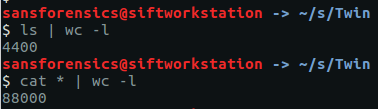
After downloading and extracting the archive we are indeed presented with 4400 files, totalling 88000 lines.

ls | wc -l
cat * | wc -l

Still, we can find the duplicate line by chaining together a few Linux command-line tools: cat, sort, and uniq. First we cat all 4400 files out, and sort all 88000 files into alphabetical order. Then use uniq with the -c flag to count the occurrences of each line. This should be 1 in every case except for our flag. Next use sort again, this time with the -n and -r flags so that we sort in numerical order, which is then reversed so that our duplicate line appears at the top of the list. Optionally, use head to restrict the output to the first 10 lines.

cat * | sort | uniq -c | sort -nr | head

2 VXZ5eWdiY1BHU3tnajFhNV9wNGFfYTNpM2VfbzNfZjNjNGU0NzNxfQ==

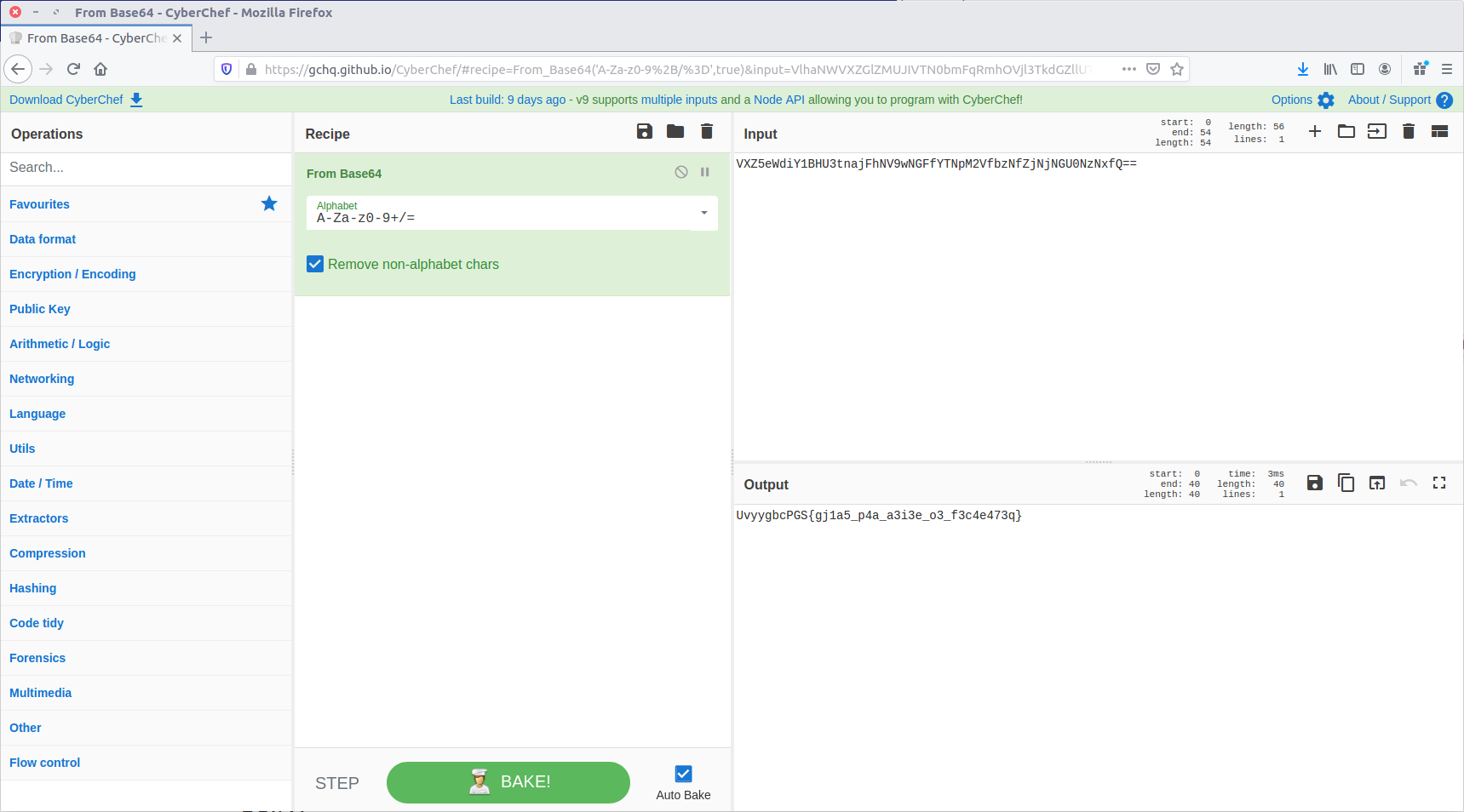
Given the == at the end of the line, the output looks like base64. Let’s feed it to CyberChef and see what we can do.

UvyygbcPGS{gj1a5_p4a_a3i3e_o3_f3c4e473q}

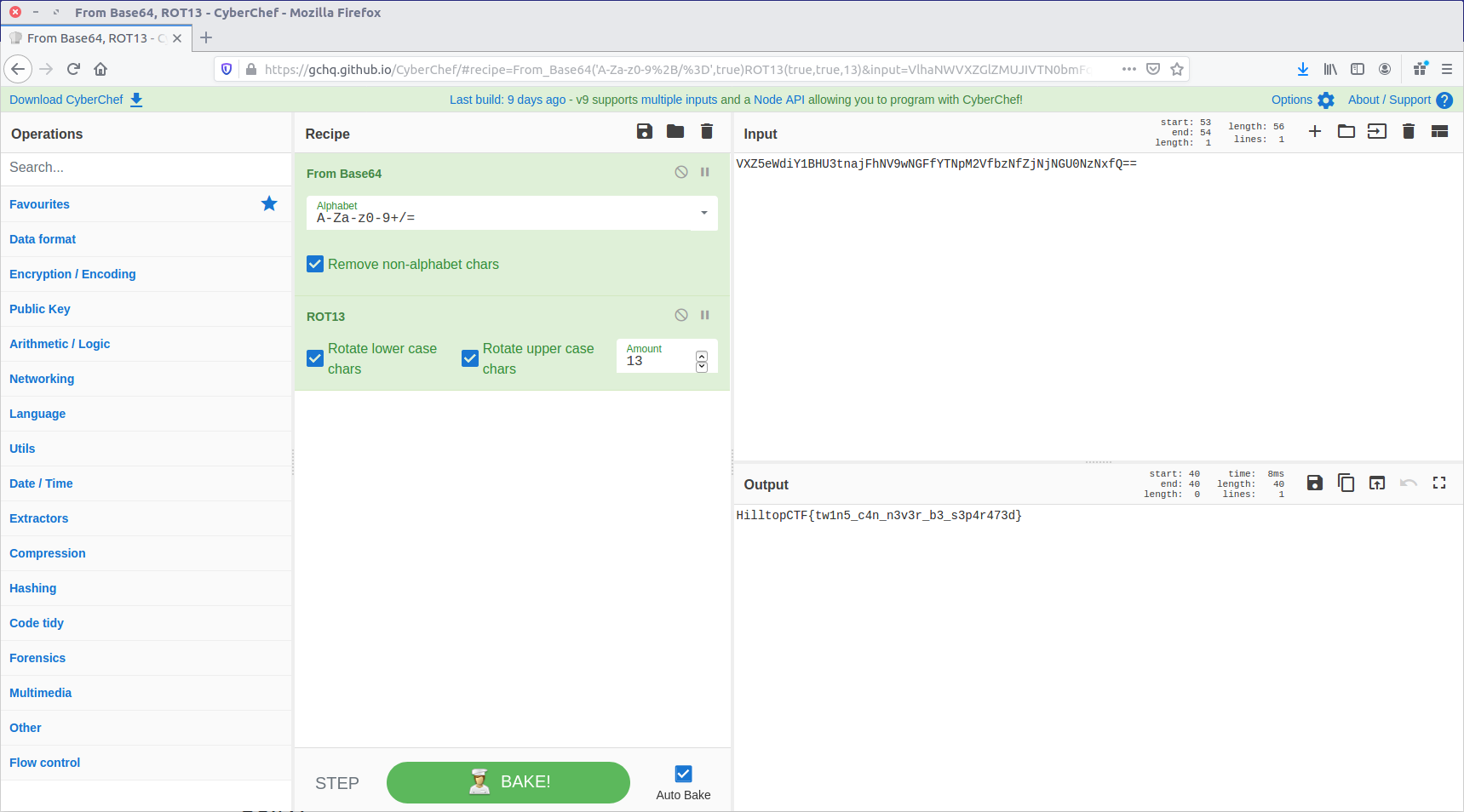
The From Base64 operation gave us human-readable text, but we still don’t have our flag in the correct format. It looks like a substitution cipher, so let’s try the Rot13 function.

That’s much better. We have our flag!

HilltopCTF{tw1n5_c4n_n3v3r_b3_s3p4r473d}

Security Blue Team VIP CTF #1 – Sneaky Transmission Write-up

The first CTF created by Security Blue Team was initially for subscribers only, but was made available to the public for a short time at the end of February 2020. While it covered network traffic analysis, password cracking, steganography, forensics, and some general knowledge challenges I didn’t have as much time as I would have liked to spend, so concentrated on the aspects that were most interesting to me personally.

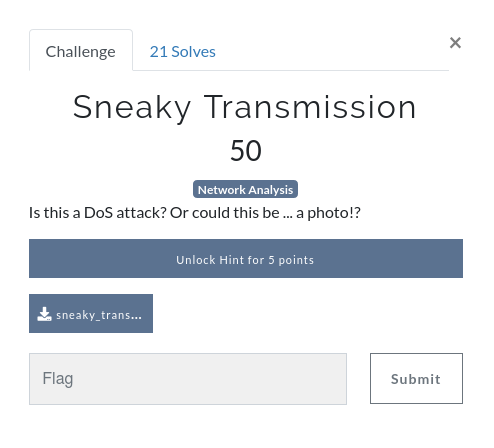
This write-up covers the network analysis challenge – Sneaky Transmission. You can find the rest of my write-ups for Security Blue Team VIP CTF #1 here.

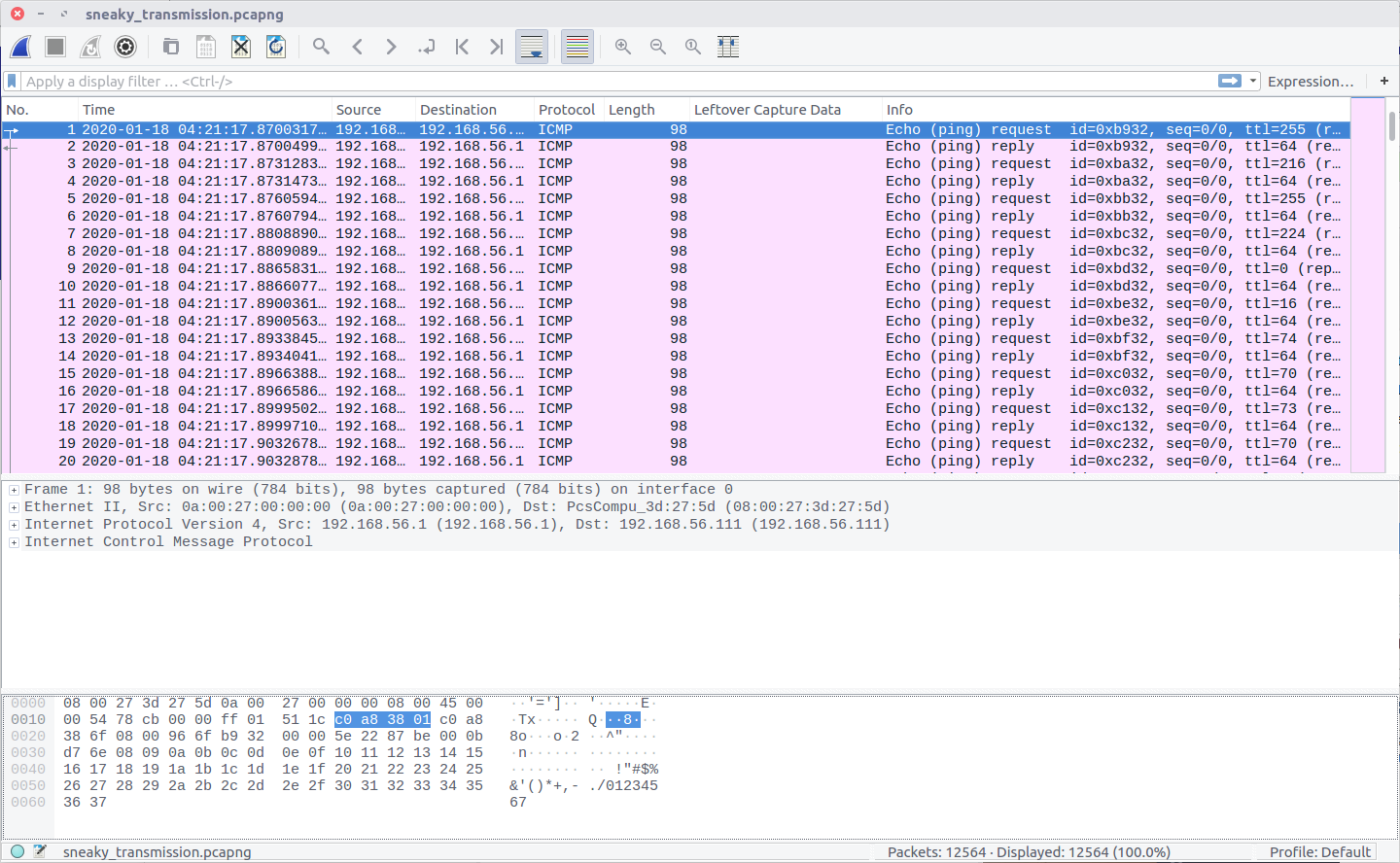
After downloading the PCAP file we can open it in Wireshark to see what we are working with. While the question refers to a DoS attack, and to the possibility of a photo, all we see in the PCAP is ICMP traffic.

Nothing here is obviously an image, but the TTL values of the IMCP requests look a bit strange. Using the following Display Filter we can examine them more easily.

icmp.type == 8

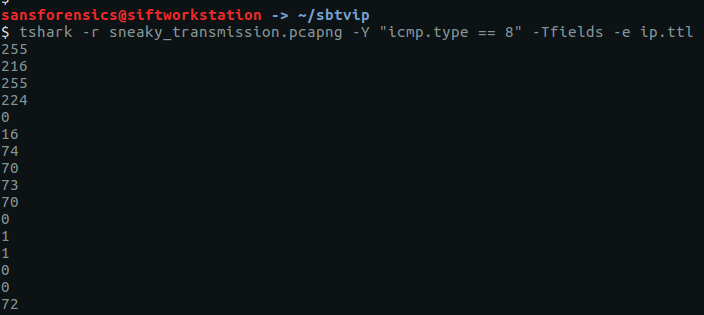
The TTL value changes with each packet, which might be an indication of a covert channel; one byte per packet perhaps? We can easily extract the TTL values using tshark and redirect them to a file.

tshark -r sneaky_transmission.pcapng -Y "icmp.type == 8" -Tfields -e ip.ttl

The data will be much easier to work with if we output it to a file.

tshark -r sneaky_transmission.pcapng -Y "icmp.type == 8" -Tfields -e ip.ttl > ttl.txt

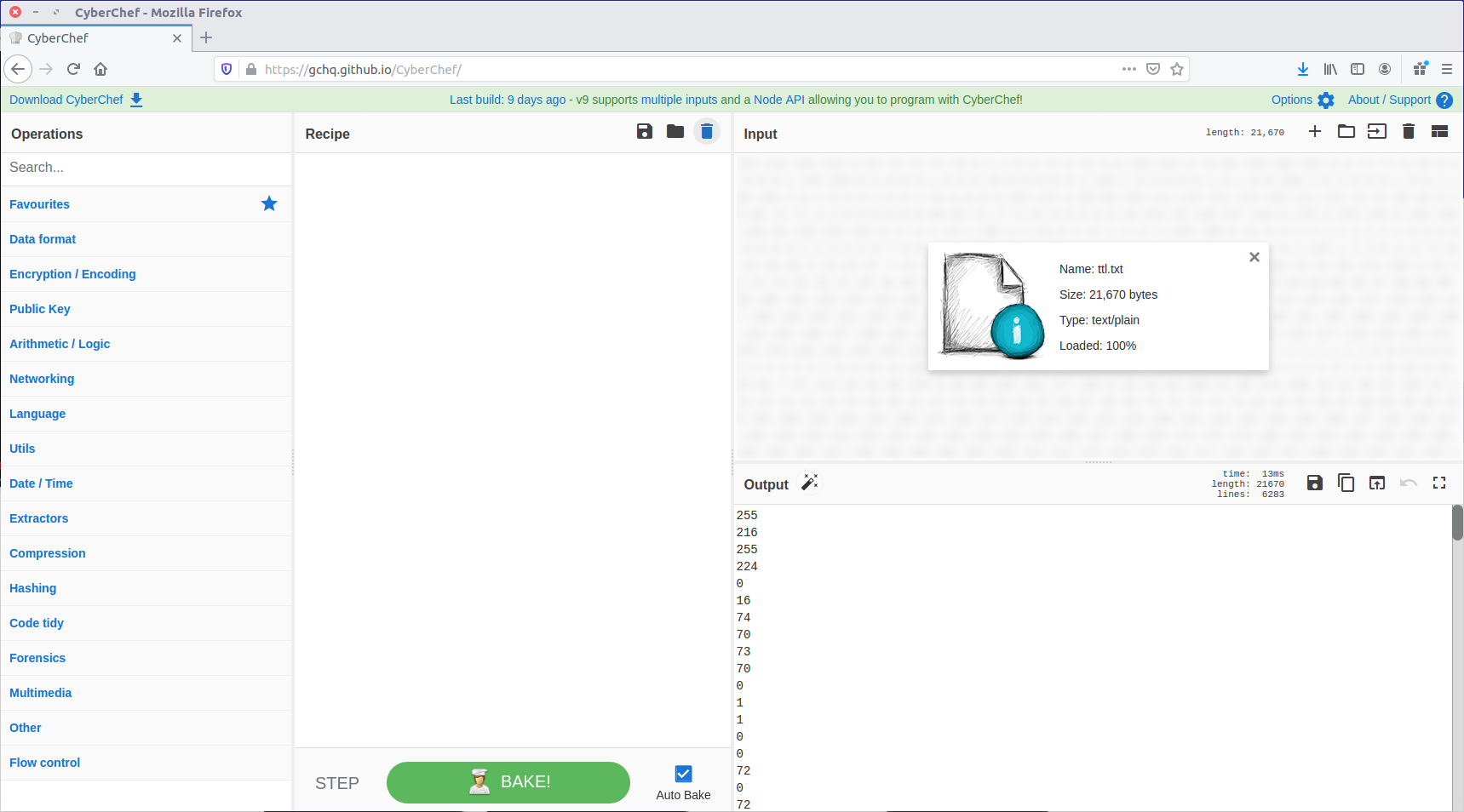
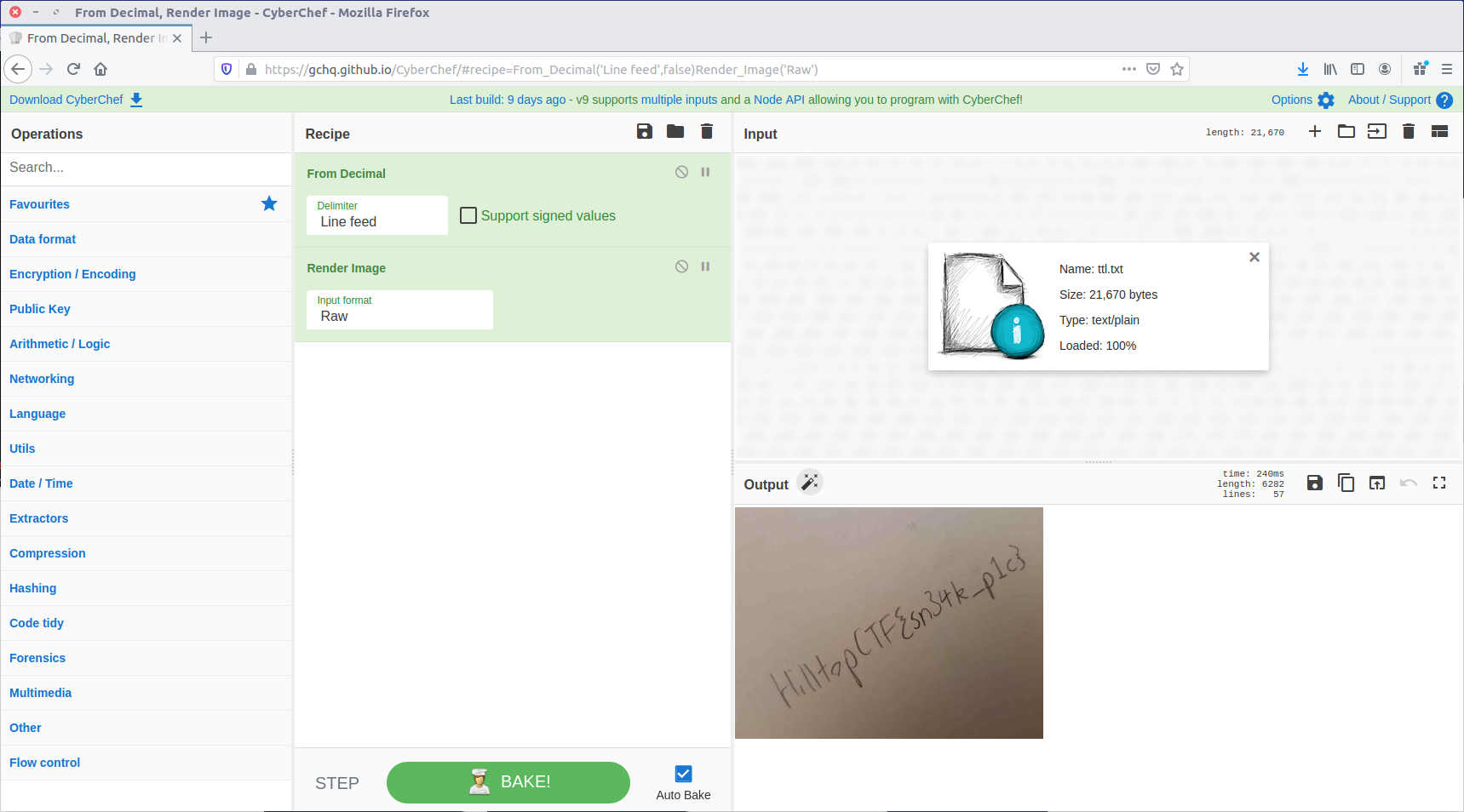
We now have a file containing what we think might be individual bytes, one-per-line, which we need to turn into something more intelligible. One of my favourite tools for playing with data like this is CyberChef, so let’s load our ttl.txt file as input and see what we can make from it.

First, let’s convert From Decimal back to the raw bytes.

That looks a lot like the “magic bytes” at the start of a JPEG file! CyberChef can render that as an image.

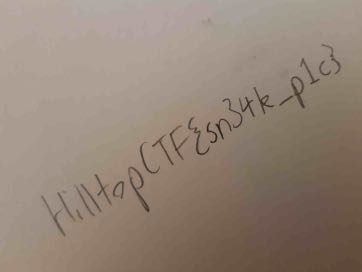
And there we are. We have our sneaky transmission, just as the question hinted at.

HilltopCTF{sn34k_p1c}